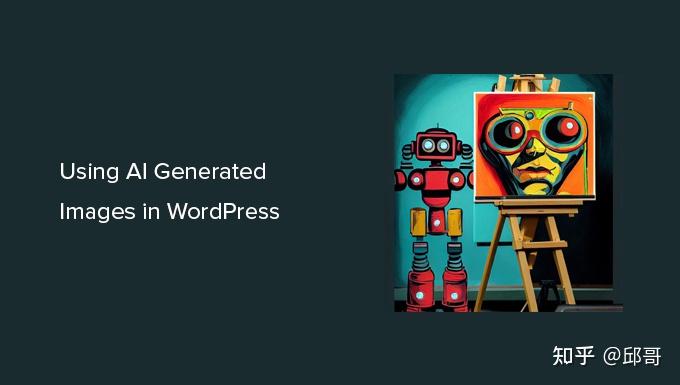
openAi刚公布出来一两周,世面异常火爆,刚开始的时候openAi官网是不用注册账号就可以体验官方的ChatGPT聊天机器人,不过现在由于访问量大增,目前官方需要注册账号登录之后才能体验该功能。 根据官方文档的描述,OpenAI API 几乎可以应用于任何涉及理解或生成自然语言或实现代码等场景。提供一系列具有不同学习训练的模型,适用于处理不同的任务,并且自己能够自定义学习模型,通过大样本数据去喂养该模型,使其能实现自己的应用场景。这些模型可用于从内容生成到语义搜索和分类的所有领域。
Q&A —— Answer questions based on existing knowledge.
Grammar correction —— Corrects sentences into standard English.
Summarize for a 2nd grader —— Translates difficult text into simpler concepts.
Natural language to OpenAI API —— Create code to call to the OpenAI API using a natural language instruction.
Text to command —— Translate text into programmatic commands.
English to other languages —— Translates English text into French, Spanish and Japanese.
Natural language to Stripe API —— Create code to call the Stripe API using natural language.
SQL translate —— Translate natural language to SQL queries.
Parse unstructured data —— Create tables from long form text
Classification —— Classify items into categories via example.
Python to natural language —— Explain a piece of Python code in human understandable language.
Movie to Emoji —— Convert movie titles into emoji.
Calculate Time Complexity —— Find the time complexity of a function.
Translate programming languages —— Translate from one programming language to another
Advanced tweet classifier —— Advanced sentiment detection for a piece of text.
Explain code —— Explain a complicated piece of code.
Keywords —— Extract keywords from a block of text.
Factual answering —— Guide the model towards factual answering by showing it how to respond to questions that fall outside its knowledge base. Using a ‘?’ to indicate a response to words and phrases that it doesn’t know provides a natural response that seems to work better than more abstract replies.
Ad from product description —— Turn a product description into ad copy.
Product name generator —— Create product names from examples words. Influenced by a community prompt.
TL;DR summarization —— Summarize text by adding a ‘tl;dr:’ to the end of a text passage. It shows that the API understands how to perform a number of tasks with no instructions.
Python bug fixer —— Find and fix bugs in source code.
Spreadsheet creator —— Create spreadsheets of various kinds of data. It’s a long prompt but very versatile. Output can be copy+pasted into a text file and saved as a .csv with pipe separators.
JavaScript helper chatbot —— Message-style bot that answers JavaScript questions
ML/AI language model tutor —— Bot that answers questions about language models
Science fiction book list maker —— Create a list of items for a given topic.
Tweet classifier —— Basic sentiment detection for a piece of text.
Airport code extractor —— Extract airport codes from text.
SQL request —— Create simple SQL queries.
Extract contact information —— Extract contact information from a block of text.
JavaScript to Python —— Convert simple JavaScript expressions into Python.
Friend chat —— Emulate a text message conversation.
Mood to color —— Turn a text description into a color.
Write a Python docstring —— An example of how to create a docstring for a given Python function. We specify the Python version, paste in the code, and then ask within a comment for a docstring, and give a characteristic beginning of a docstring (“””).
Analogy maker —— Create analogies. Modified from a community prompt to require fewer examples.
JavaScript one line function —— Turn a JavaScript function into a one liner.
Micro horror story creator —— Creates two to three sentence short horror stories from a topic input.
Third-person converter —— Converts first-person POV to the third-person. This is modified from a community prompt to use fewer examples.
Notes to summary —— Turn meeting notes into a summary.
VR fitness idea generator —— Create ideas for fitness and virtual reality games.
ESRB rating —— Categorize text based upon ESRB ratings.
Essay outline —— Generate an outline for a research topic.
Recipe creator (eat at your own risk) —— Create a recipe from a list of ingredients.
Chat —— Open ended conversation with an AI assistant.
Marv the sarcastic chat bot —— Marv is a factual chatbot that is also sarcastic.
Turn by turn directions —— Convert natural language to turn-by-turn directions.
Restaurant review creator —— Turn a few words into a restaurant review.
Create study notes —— Provide a topic and get study notes.
[⭐] https://gpt-prompts.xyz [error][-1]Hostname/IP does not match certificate’s altnames: Host: gpt-prompts.xyz. is not in the cert’s altnames: DNS:raa.namecheap.com, DNS:www.raa.namecheap.com
[⭐] https://www.gpt-prompts.xyzChatGPT。 [error][-1]Hostname/IP does not match certificate’s altnames: Host: www.gpt-prompts.xyz. is not in the cert’s altnames: DNS:raa.namecheap.com, DNS:www.raa.namecheap.com
本文将使用美国的Windows服务器、美国手机号码(实体号)、编者的企业邮箱为大家做演示。美国手机号码接码比较贵,大约要1美元左右,大家可以选便宜一点的国家,只要IP地址和电话号码是同一个国家的即可。美国IP配别的地区的电话号码,也可以,只是不知道会不会有影响。编者试过美国IP配英国电话号码,可以注册,购买ChatGPT Plus也成功了。另外还要看这个国家或者地区能不能使用ChatGPT和OpenAI,这是OpenAI支持的国家和地区:Supported countries and territories,美国、英国、印度、新加坡、菲律宾、马来西亚、印度尼西亚都可以,但是中国内地、香港、澳门都不行。
Oops! We ran into an issue while authenticating you. If this issue persists, please contact us through our help center at help.openai.com. Return to homepage 哎呀! 我们在验证您的身份时遇到问题。如果此问题仍然存在,请通过我们的帮助中心help.openai.com与我们联系。 返回主页
It looks like this is a virtual phone number (also known as VoIP). Please provide a valid, non-virtual phone number to continue. 看起来这是一个虚拟电话号码(也称为VoIP)。请提供一个有效的,非虚拟的电话号码继续。
换一个国家试试,在上外网软件内,切换到马来西亚的服务器,同时选择一个马来西亚的电话号码。
将马来西亚电话号码粘贴进入,点击“Send code via SMS”,提示:
图片丨提示这个电话号码注册的帐户数已达上限了(马来西亚的国旗和美国的很像啊)
This phone number is already linked to themaximum number of accounts. 该电话号码已经链接到最大帐户数量。
You’ve made too many phone verificationrequests. Please try again later or contact usthrough our help center at help.openai.com. 你已经提交了太多的电话验证请求。请稍后再试,或通过我们的帮助中心(Hel.openai.com)与我们联系。
看来使用免费的国外手机注册ChatGPT号难度有点大,需要付出很大的时间和精力成本去找。
四、使用收费国外手机号短信服务注册OpenAI ChatGPT帐号
最后,我花了1美元,购买了国外手机号短信验证码接收平台的收费服务,成功注册ChatGPT帐号。
推荐选择马来西亚代理服务器节点(如果所用上网软件没有该国节点,也可以尝试其他国家),输入收费的马来西亚手机号码,点击“Send code via SMS”按钮后,页面正常跳转:



 AIGC技术在游戏中的应用

 小编使用Waifulabs生成的动漫肖像


 网友@围巾仔仔 使用TIAMAT生成的女孩子AIGC图片